

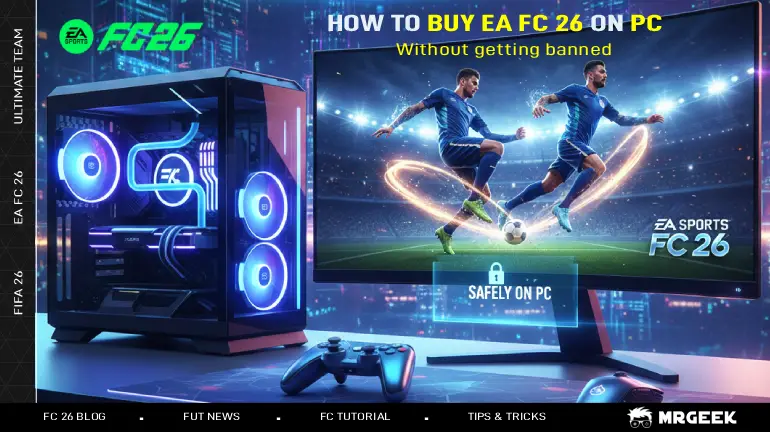
EA SPORTS FC 26 is one of the most anticipated football games of the year, and many PC players are preparing to buy it. But a lot of people are unsure about where to buy the game, whether regions matter, and how to avoid issues with bans, especially if they’ve previously had an account suspended.
This guide breaks everything down — clearly and safely — so you can buy FC 26 with confidence and keep your new EA account secure.
If you need extra data about fc 26 on pc read The Complete Guide to EA SPORTS FC 26 on PC.
Where Should You Buy FC 26 for PC?
When it comes to buying FC 26, not all stores are equal. Choosing the wrong place can lead to revoked keys, access removed from your account, or even fraud risks.
Best (Safest) Places to Buy
- EA App (official EA store)
- Steam
- Epic Games Store
These platforms are fully authorized. When you buy FC 26 here, the key will always remain valid and supported by EA.
Stores You Should Avoid
Many players try to save money by buying keys on websites like:
- Gamivo
- Eneba
- Kinguin
- G2A
These marketplaces allow third-party resellers, and a significant number of keys sold there are unauthorized or region-restricted. EA frequently revokes such keys, meaning the game can simply disappear from your account with no refund option from EA.
Additionally, some websites sell pre-made accounts with the game included — extremely risky and not recommended.
Do Regions Matter When Buying FC 26?
Yes — but only when you buy keys from unofficial sources.
What you need to know:
- FC 26 itself is not region-locked for playing. Once you own it, you can play it worldwide.
- However, activation keys can be region-restricted.
- If you buy a key meant for another country, EA may later revoke the game in your region — and they won’t restore it.
If you’re in Belgium (or any other country), buy the game directly from your own region’s EA, Steam, or Epic store to avoid problems.
What If You Already Had an EA Account Banned?
A common concern for Ultimate Team players is whether a previous EA ban affects their new setup. EA bans accounts, not PCs, so if your previous EA account was banned, the ban does not automatically impact your computer, IP address, or hardware. In other words, your PC will not “inherit” the ban.
They do not auto-ban new accounts simply because they were created on the same PC.
As long as you create and use the new account correctly, you won’t be linked to the banned one.
How to keep my account if you decide to buy FC 26 Coins?
- NEVER Give Your EA Login Email or Password to Anyone: Use strong passwords with a mix of letters, symbols, and numbers. Change them routinely and after every transfer. or change your password after each transfer
- Use Sellers with Strong Independent Reviews: Choose sellers with real, proven reputations on platforms like Trustpilot or Reddit communities. Trusted seller like mrgeej.net minimizes the risk of scams and ensures the FC 26 Coins come from safe, verified methods.
- Use Transfer Methods That Mimic Normal Gameplay: Always select secure transfer methods such as Player Auction, which mirrors legitimate in-game trading behavior and significantly reduces EA’s risk detection.
- Avoid FUT Coin Buying on a Fresh Account: Do not purchase coins on a newly created EA account. New accounts carry a higher ban risk because there is little gameplay history. Play naturally for a while before buying.
- Never Buy Huge Amounts at Once: Large, sudden Ultimate Team coin boosts appear suspicious to EA. Purchase EA FC Coins in smaller batches to keep your account activity appearing natural and safe.
- Strengthen Your EA Account Security: Enable 2FA, use a strong unique password, and never share your login. This protects your account from unauthorized access and suspicious activity flags.
How to Keep Your New EA Account Safe on PC
Here are the best practices to ensure your new account stays clean and secure:
Use a completely new login
- New email
- New password
- Do not reuse credentials from the banned account
Enable Two-Factor Authentication (2FA)
Adds an extra layer of security.
Avoid risky behaviors
No trading manipulation
- No bots, cheats, auto-buyers, or modded software
- No VPN tricks to fake price regions
These activities are the most common reasons for bans.
Do not buy the game or account from third-party sellers
This can trigger fraud checks and create account problems.
Play legitimately
Follow EA’s online conduct rules to remain in good standing.
Should You Create the New Account on Another PC?
Some players think they need to create their account on a different PC to avoid being linked to the banned one.
Here is the truth: no — you do NOT need another PC. Your device won’t get you banned.
As long as: the new account is clean, the login details are different, you play by the rules
you can safely use the same computer.
FAQ
Does the FC 26 PC version have region locks?
The game itself is not region-locked — once you own it, you can play globally.
However, activation keys can be region-restricted, especially from third-party marketplaces.
If my old EA Account was banned, will my new account also get banned?
Not automatically. EA bans accounts, not devices. Your PC does not inherit the ban.
Your new account remains safe as long as you: use new login credentials, avoid repeating violation triggers, follow EA’s rules
If EA bans my new account, can they ban my entire PC forever?
No. EA does not impose hardware bans for FC 26.
Bans are account-specific unless serious violations occur.
Is buying FC 26 Coins illegal?
Not illegal in real-world law, but it violates EA’s Terms of Service, and they can ban accounts involved in it.
Conclusion
Buying EA SPORTS FC 26 safely is all about choosing the right store and protecting your EA account. Always purchase the game from official platforms like the EA App, Steam, or Epic Games, and avoid grey-market key sellers that often cause revoked access or account issues.
If you’ve had a previous ban, don’t worry — EA bans accounts, not PCs. As long as you create a fresh login, enable strong security, and follow the rules, your new account will remain safe.
With these simple precautions, you can enjoy FC 26 confidently, safely, and without fear of losing your progress or account.