


.webp)
Forgetting a password happens to almost everyone, and EA Accounts are no exception. Resetting it is quick — usually just a few minutes — as long as you still have access to your registered email or phone number.
Looking for more FC Coins for your squad? Check the latest offers and buy FC Coins from MrGeek.
Quick Answer
Go to the EA Account Login Page, select "Forgot Password," enter the email or phone number linked to your account, verify your identity with the code EA sends you, and set a new password.
Before You Start
- Know the email or EA ID linked to your account.
- Have access to that email inbox or phone number.
- Check spam/junk folders in advance if you've had reset emails go missing before.
Step-by-Step: Reset Your EA Account Password
- 1
Go to the EA Sign-In Page. Visit the EA Account Login Page and click "Forgot Password."
- 2
Enter your email address. Type in your EA ID or the email linked to your account, then click "Next." If you registered with a phone number instead, click "Use phone number instead."
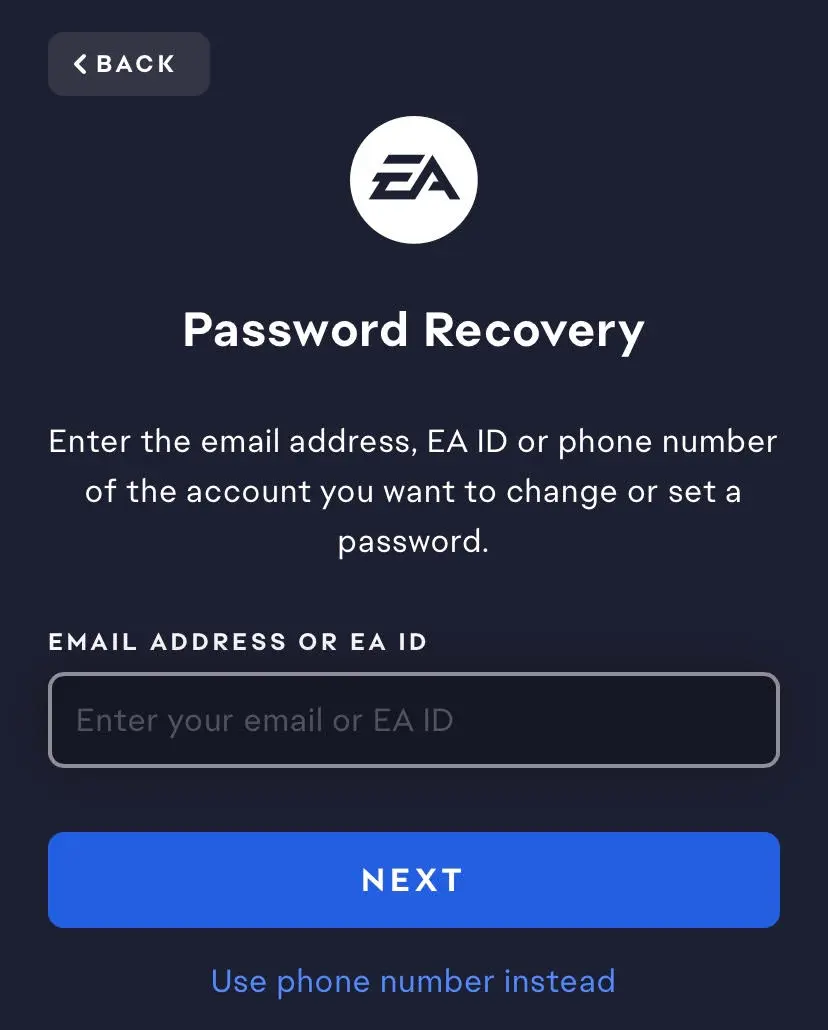
- 3
Verify your identity. Click "Send Code" to receive a verification code by email or text.
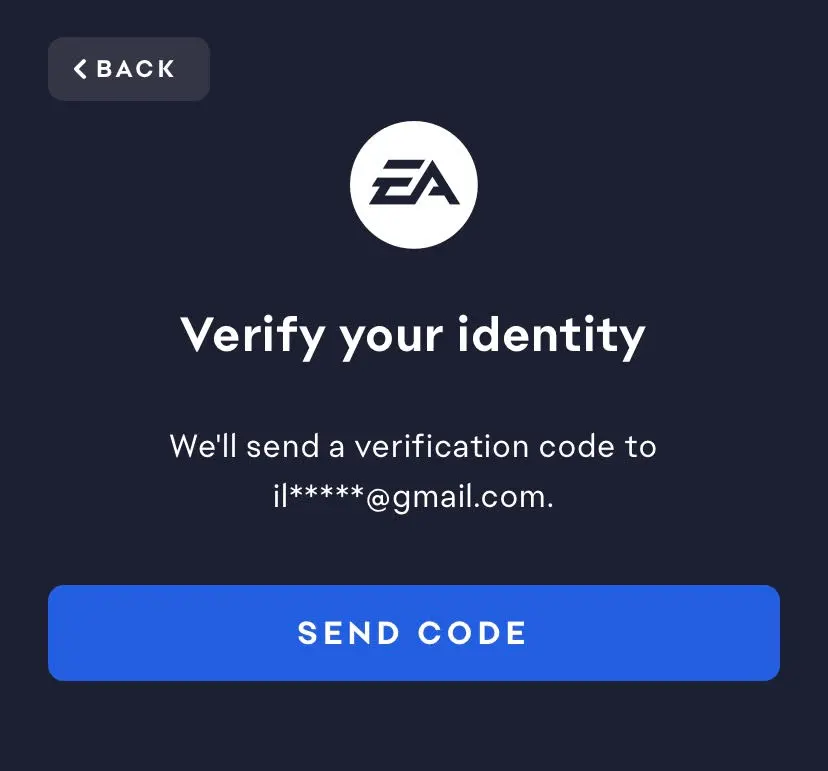
- 4
Check your email or texts. Look for a 6-digit code from EA and enter it promptly, since codes are time-sensitive.
- 5
Enter the verification code. Click "Next" to reach the secure page where you can set a new password.
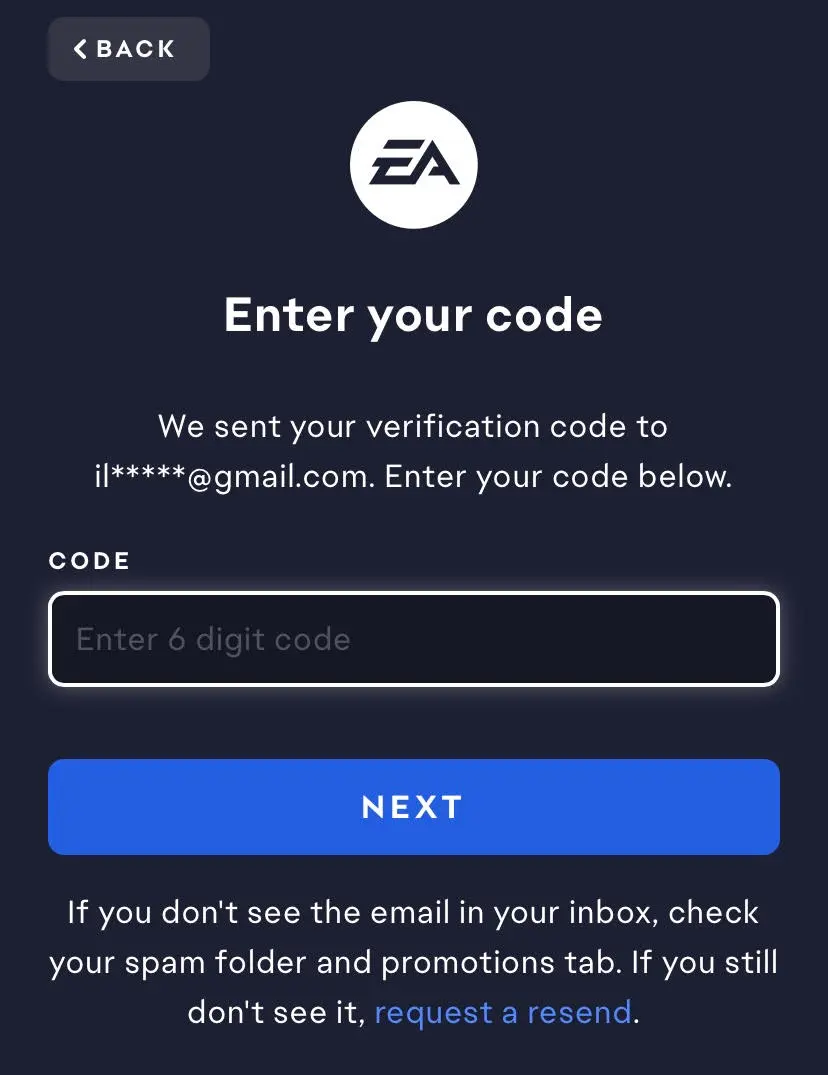
- 6
Create a new password. Use a mix of uppercase and lowercase letters, numbers, and special characters — at least 8–12 characters, avoiding obvious personal details.
- 7
Done. Your EA Account now has a new password — use it the next time you log in.
- Tip: Never share your password with anyone.
- Tip: Avoid reusing a password from another account — if one service is breached, reused passwords put every linked account at risk.
More Tips
- Change your password anytime from your EA Account Settings.
- Enable Two-Factor Authentication for stronger security.
- Keep your recovery email and phone number up to date.
- Review your linked platforms (PlayStation, Xbox, Steam, Nintendo) periodically.
Common Mistakes to Avoid
- Using the wrong email: Trying to reset with an email that was never linked to your account.
- Waiting too long to enter the code: Verification codes expire after a short window.
- Ignoring the spam folder: Reset emails occasionally land there.
- Reusing an old password: EA will reject a password too similar to your previous one.
- Mistyping the code: Copy-paste it directly to avoid entry errors.
Troubleshooting
| Problem | What to Check | Solution |
|---|---|---|
| Reset email hasn't arrived | Spam/junk folder, email filters | Check other folders and request the code again |
| Email address not recognized | Account may use a different email | Try other emails you've used in the past |
| Reset link/code doesn't work | May have expired | Request a new password reset code |
| New password isn't accepted | Password requirements or reuse | Create a genuinely new password meeting EA's requirements |
| No access to registered email/phone | Standard reset won't work | Contact EA Help for manual account recovery |
| Keep getting signed out after reset | Browser cache, app version, session conflicts | Clear cache, update the app, or sign out of all devices |
Frequently Asked Questions
How do I reset my EA Account password?
Go to the EA Account Login Page, select "Forgot Password," enter your linked email or phone number, verify with the code EA sends, and set a new password.
What should I do if I don't receive the password reset email?
Check your spam or junk folder, confirm you entered the correct email, and request the code again if a few minutes pass with nothing.
Where should I look if the EA password reset email is missing?
Check spam, junk, and any "Promotions" or "Updates" tabs your email provider might sort automated messages into.
What should I do if my EA password reset link has expired?
Request a new code rather than retrying the old one — only the most recently sent code will work.
Can I reset my EA Account password from my phone?
Yes, the same process works from a mobile browser or the EA app.
What should I do if I don't remember the email linked to my EA Account?
Try any past emails or phone numbers you've used — EA will confirm if a match is found. If none work, contact EA Help for manual recovery.
How do I create a strong EA Account password?
Use 8–12+ characters mixing uppercase, lowercase, numbers, and symbols, and avoid obvious personal details like your birthday or EA ID.
What should I do if I still can't access my EA Account after resetting the password?
Contact EA Help directly — you may need to go through their manual identity verification process, especially if you've also lost access to your recovery email or phone.
