10% Mega Deal – Code: FC27START
Update — : FC 27 Coins Sales have officially started at MrGeek. Orders are now open for PlayStation, Xbox and PC.

My EA Backup Codes are not working!
This can have some reasons, the most important reasons are:
1. The Backup Codes are already used!
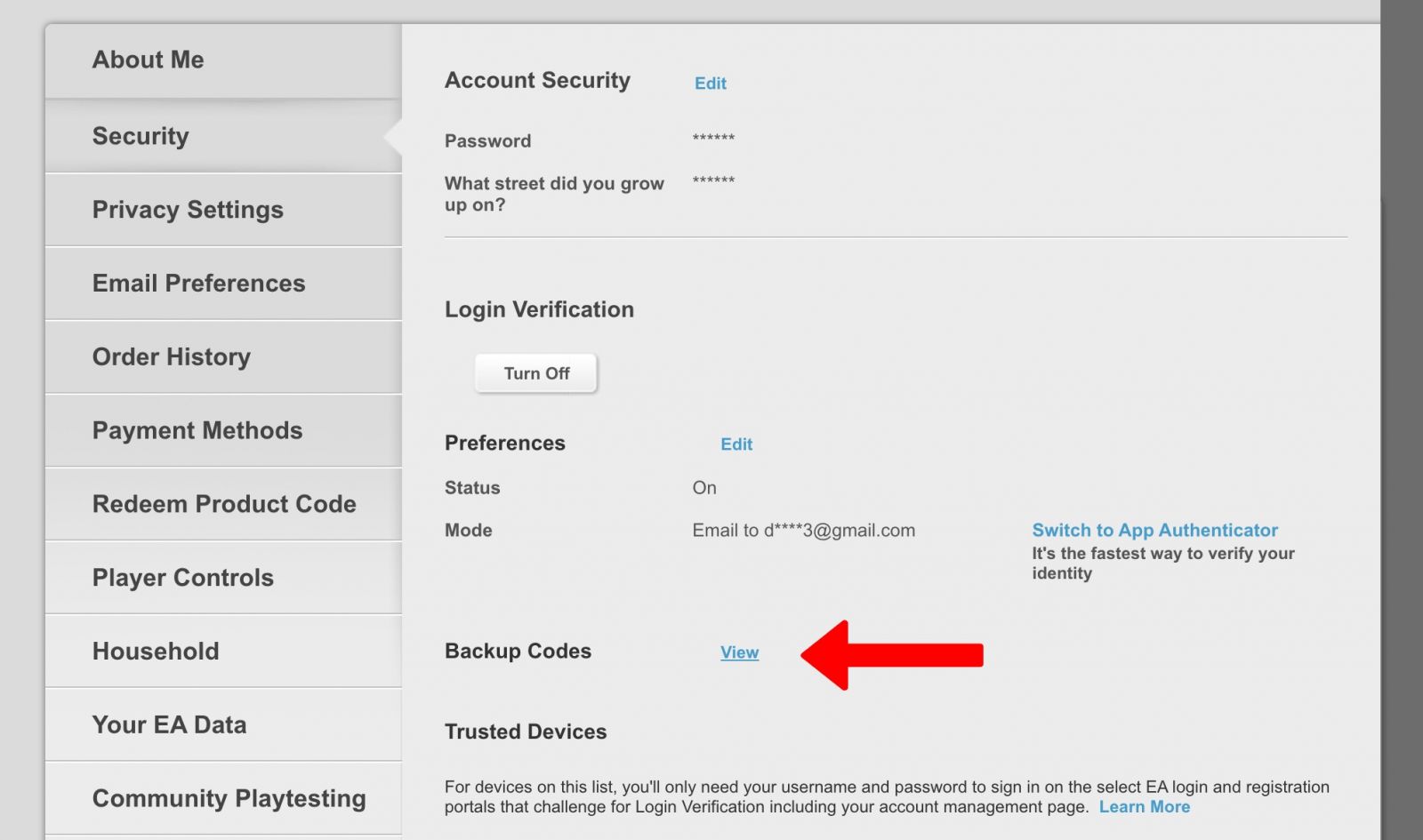
In this case you need only login to your EA / Origin Account and go to Login Settings: https://myaccount.ea.com/cp-ui/security/index
1.2. Go to Security, click on "View" in front of "Backup Codes"
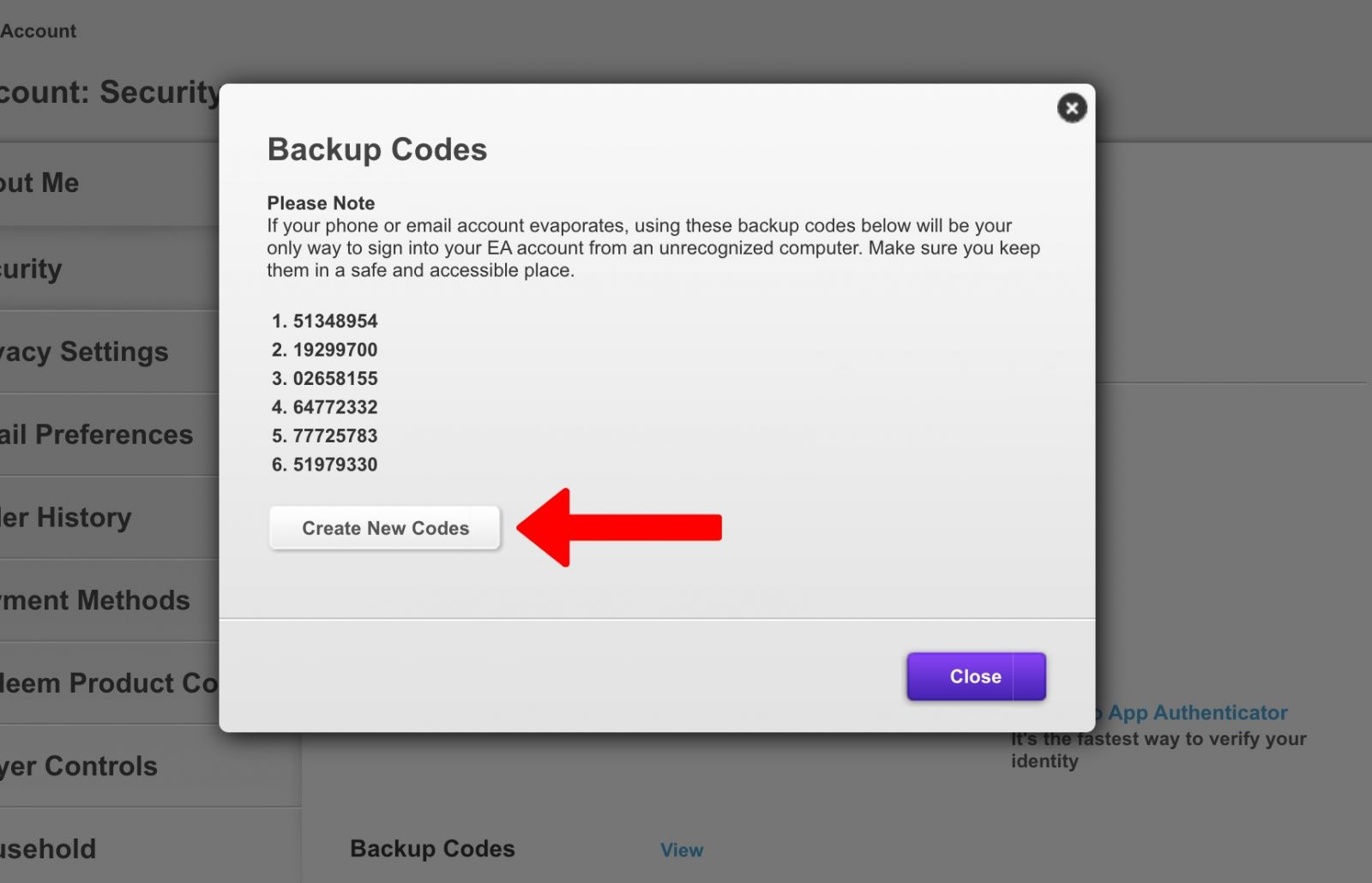
1.3. Click on "Create New Codes"
2. Make sure you are in the correct EA / Origin Account, when you are taking the Backup Codes.
If need help to find your Backup Codes, just navigate to this tutorial: "How to find Backup Codes for FUT Account / Origin Account"
Once you have your Origin Login, you can just find your Backup Codes and start your FIFA Coins transfer on MrGeek.net
