


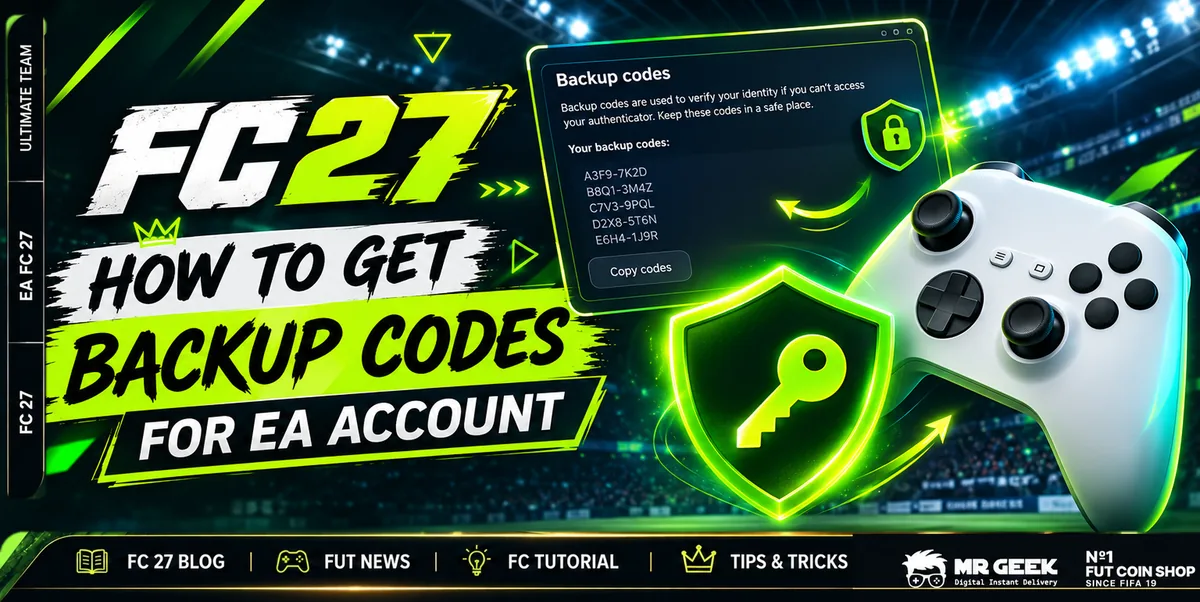
6 codesper set8 digits each
1 timeper codea used code turns grey
2FA onneededwithout it no codes appear
New setany timeCreate new code
Quick answer: Sign in at myaccount.ea.com, open Security and privacy, click Two-factor authentication and then View backup codes. You get 6 codes, and each one works only once. If you see no codes, two-factor authentication (2FA) is not turned on yet.
Check your codes yourself
- Open Security and privacy in your EA Account.
- Click Two-factor authentication, then View backup codes.
- Bold black codes are still valid. Grey codes were already used and do not work anymore.
Only you see your codes in your EA Account. If one does not work, the page shows you right away whether it was already used.
Last updated: 6 November 2026
How to get your EA backup codes, step by step
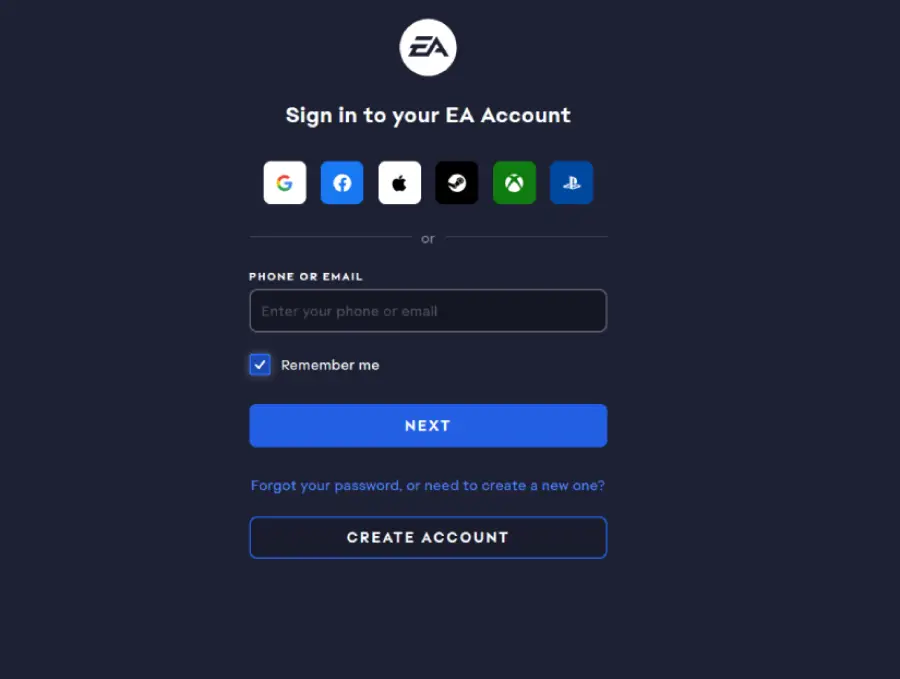
Sign in to your EA Account
Go to myaccount.ea.com and sign in with the EA Account of your game (which one is it?).
Open Security and privacy
In the menu on the left click Security and privacy. Scroll down to Two-factor authentication (previously Login Verification) and click it.

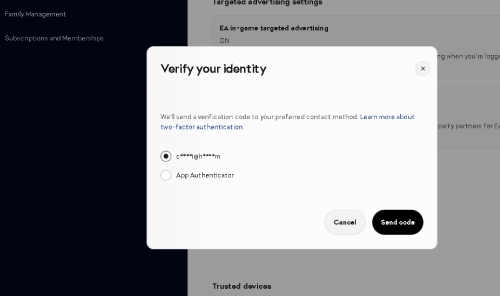
Confirm it is you
EA asks for a code from your authenticator app, by text or by email. Enter it. No 2FA yet? Turn it on first: how to turn on 2FA.
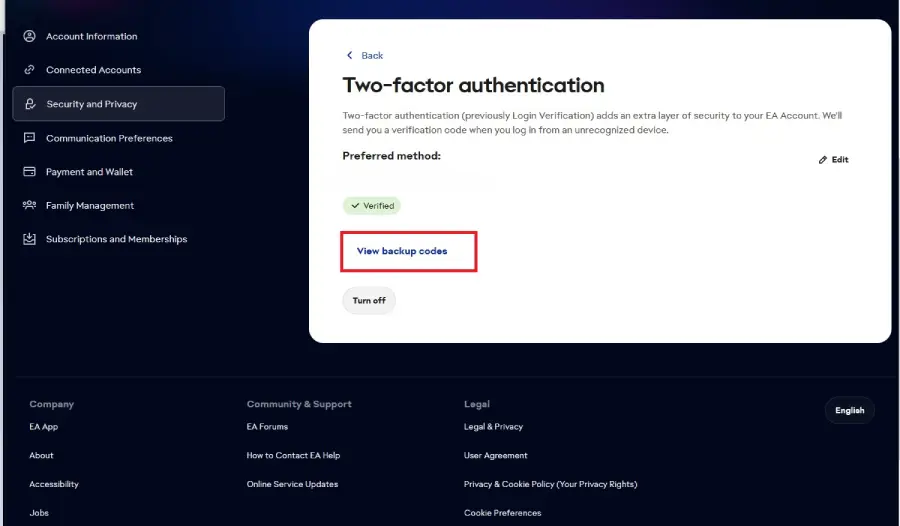
View backup codes
Click View backup codes.
Save the 6 codes
EA shows 6 codes with 8 digits. Write them down or save them somewhere safe. Need fresh ones? Click Create new code, then the old set stops working.
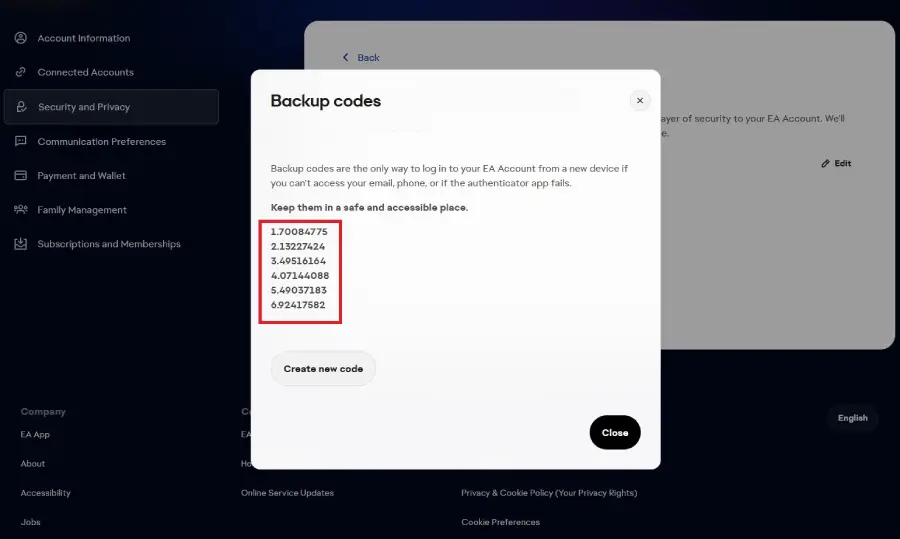
Treat them like a password
With a backup code someone can log in to your EA Account from a new device. Only give a code where you really need it, and create a new set afterwards if you want to be sure.
| Step | Where | What to do |
|---|---|---|
| 1 | EA Account | sign in |
| 2 | Security and privacy | open the security settings |
| 3 | Two-factor authentication | check that it is enabled |
| 4 | Backup codes | View backup codes |
| 5 | Code list | save the codes safely |
| 6 | Same page | Create new code when needed |
What are EA backup codes?
If you lose your phone, your authenticator app stops working or you cannot get into your email, you can be locked out of your EA Account. Backup codes solve this: they are one-time codes that replace your normal 2FA code. EA says they are the only way to log in from a new device when your email, phone or authenticator app fails.
Backup codes not showing?
- Check that two-factor authentication (previously called Login Verification) is enabled.
- Reload the page and look again.
- Still nothing? Turn 2FA off and on again, then go back to Security and privacy.
Why do my EA backup codes not work?
| Reason | What it means | What to do |
|---|---|---|
| 2FA is not enabled | without 2FA there are no backup codes | turn on 2FA in Security and privacy |
| Code already used | each of the 6 codes works once; used ones turn grey | take a bold black code or create a new set |
| Wrong EA Account | many players have more than one EA Account | check which account your game uses |
| Old set | after Create new code the old codes are invalid | use the newest set only |
| Typo | 8 digits are easy to mix up | copy and paste the code |
| App code instead of backup code | the 6-digit code from your authenticator app is something else | use one of the 8-digit backup codes |
Still stuck?
| If this happens | Try this |
|---|---|
| One code does not work | try another unused code |
| All old codes fail | create a new set |
| No codes are visible | check that 2FA is enabled |
| The codes belong to another account | sign in to the right EA Account |
| You still cannot get into the account | use EA's account recovery (reset password, EA Help) |
FAQ
What are EA backup codes?
One-time codes that replace your normal two-factor code when your email, phone or authenticator app is not available.
Where do I find my EA backup codes?
In your EA Account under Security and privacy → Two-factor authentication → View backup codes.
Why can I not see my backup codes?
Two-factor authentication is not enabled yet. Turn it on, then the codes appear.
How many backup codes do I get?
6 codes with 8 digits each.
Can I use a backup code more than once?
No. Each code works once and then turns grey.
Can I create new backup codes?
Yes, on the same page with Create new code. The old set then stops working.
How should I store my backup codes?
Somewhere only you can reach: written on paper, in a password manager or in a safe note. Never send them to strangers.
All my backup codes stopped working. What now?
Create a new set. If you cannot sign in at all anymore, reset your password or contact EA Help.
Can I use backup codes if I lost my 2FA method?
Yes, that is exactly what they are for.
How do I make sure I use the right EA Account?
Sign in on EA.com with the PlayStation or Xbox button. EA then opens the account linked to your console.
Sources
- EA Account: Security and privacy (checked 6 Nov 2026)
- Video: MrGeek on YouTube, "How to Get Backup Codes for EA Account" (19 Feb 2026)