

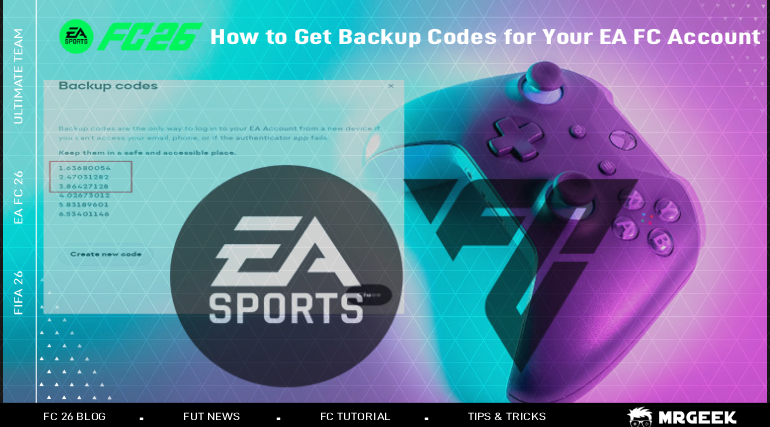
EA backup codes are an alternative way to verify your EA Account when your usual Two-Factor Authentication (2FA) method isn't available. This guide walks through exactly where to find them, how to save them, and what to do if they're not showing up.
Make your Ultimate Team journey easier with reliable FC Coins from MrGeek. Buy FC Coins and use them for players, SBCs, and squad improvements.
Quick Answer: How to Get EA Backup Codes
- Sign in to your EA Account.
- Open Security & Privacy.
- Go to Two-Factor Authentication.
- Make sure 2FA is enabled.
- Select the option to view backup codes.
- Save the codes somewhere secure.
Step-by-Step Guide to Get EA Backup Codes
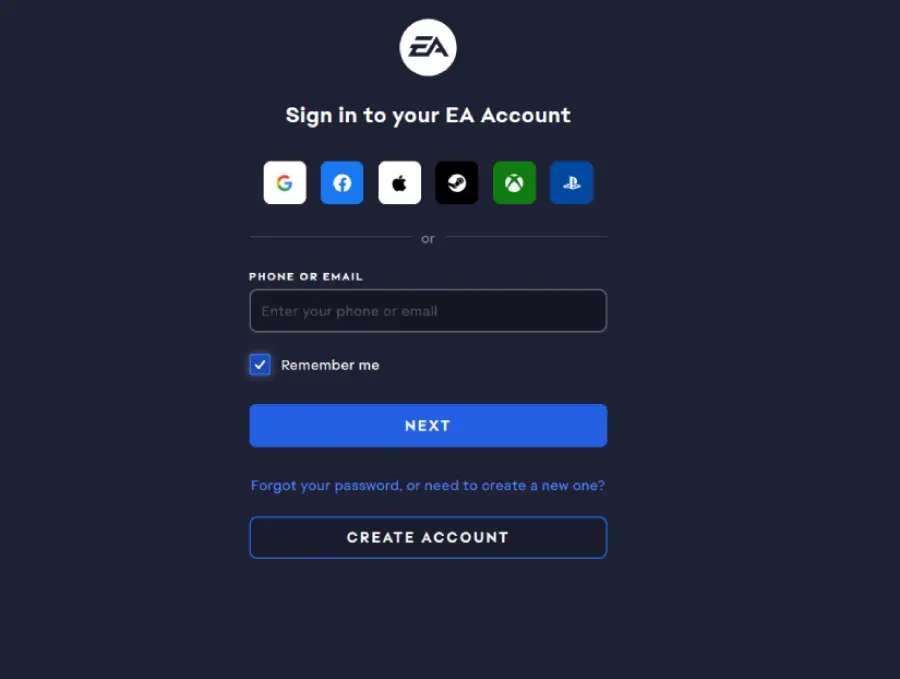
Step 1: Sign In to Your EA Account
Go to myaccount.ea.com/cp-ui/security/index and sign in to your EA Account.
Step 2: Open Security & Privacy Settings
From the account menu, go to Security & Privacy.

Step 3: Find Two-Factor Authentication
Backup codes are only available once 2FA is configured. If 2FA is not turned on, you won't see the backup codes option yet.
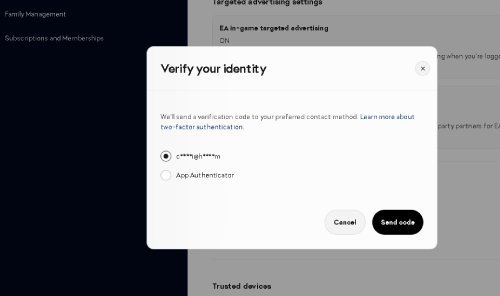
Step 4: Choose Your Verification Method
Choose your preferred 2FA method — Authenticator App, SMS, or Email — and complete the verification process. If you need help enabling 2FA first, see our guide to enabling 2FA.
Step 5: Open Your Backup Codes
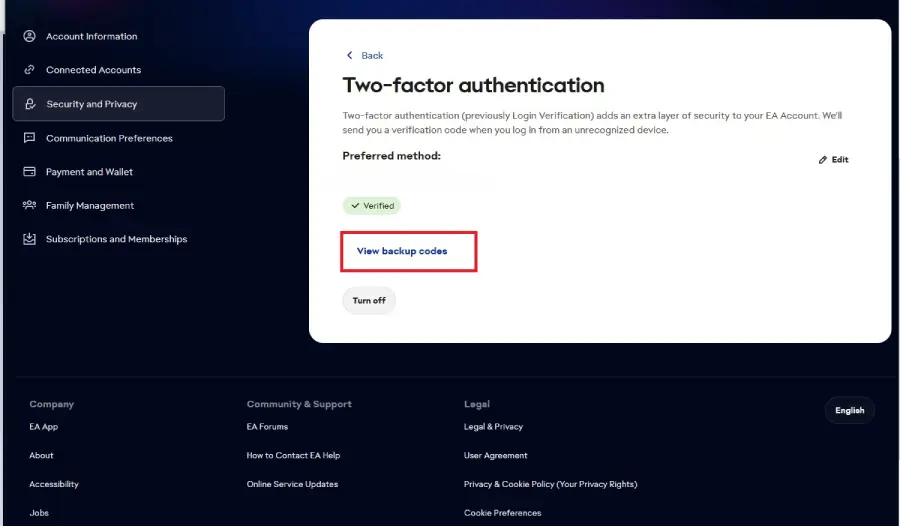
Click "View Backup Codes."
Step 6: Save Your Backup Codes Securely
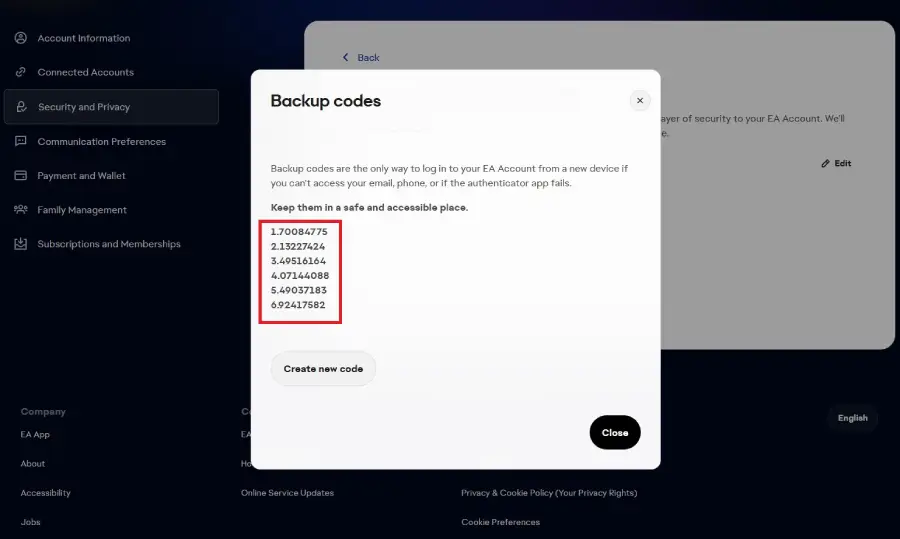
EA will provide six backup codes. Write them down or store them somewhere secure, and don't share them with anyone.
Step 7: Create New Codes When Necessary
If you've used your codes or want a fresh set, return to the same page anytime and click "Create New Codes."
Quick Reference
| Step | Where to Go | What to Do |
|---|---|---|
| 1 | EA Account | Sign in |
| 2 | Security & Privacy | Open account security settings |
| 3 | Two-Factor Authentication | Check that 2FA is enabled |
| 4 | Backup Codes | Select View Backup Codes |
| 5 | Backup Code List | Save the codes securely |
| 6 | Security Settings | Create new codes when necessary |
What Are EA Account Backup Codes?
If you lose your phone, your authenticator app fails, or you lose access to your email, you could be locked out of your EA Account. Backup codes solve this — they're one-time-use codes that act as an alternative login method when your usual 2FA isn't available, letting you sign in securely even from a new device.
What If EA Backup Codes Are Not Showing?
- Make sure Two-Factor Authentication (previously called Login Verification) is enabled.
- Refresh the page and check again.
- If the issue persists, disable and re-enable 2FA, then return to Security & Privacy settings.
| Problem | What to Check |
|---|---|
| Backup codes are not visible | Make sure 2FA is enabled |
| 2FA is enabled but codes are missing | Refresh the page and check Security & Privacy again |
| Old codes no longer work | Create a new set of backup codes |
| You cannot access the correct account | Confirm you are signed into the correct EA Account |
Key Points to Remember
- Backup codes are connected to your EA Account's 2FA settings.
- 2FA must be enabled to access them.
- Each code can be used once — renew your list when you run out.
- Always keep your backup codes in a safe, private location.
- Make sure you're using the correct EA Account.
Frequently Asked Questions
What are EA backup codes?
One-time-use codes that let you sign into your EA Account as an alternative to your usual 2FA method.
How do I get backup codes for my EA Account?
Sign in to your EA Account, open Security & Privacy, go to Two-Factor Authentication, and select View Backup Codes once 2FA is enabled.
Where can I find my EA backup codes?
Under EA Account → Security & Privacy → Two-Factor Authentication → View Backup Codes.
Why can't I see my EA backup codes?
This usually means 2FA hasn't been enabled yet — turn it on first and the backup codes option will appear.
Do I need 2FA to get EA backup codes?
Yes, backup codes are generated as part of your 2FA setup and won't appear until 2FA is active.
Can I create new EA backup codes?
Yes, return to the same Security & Privacy page anytime and select "Create New Codes" to generate a fresh set.
How should I store my EA backup codes?
Write them down or save them somewhere secure and private, and never share them with anyone.
Can I use an EA backup code more than once?
No, each code works only once. Once used, generate a new set if you need more.